
Search engine optimization is no longer limited to ranking webpages on traditional search engines. People are also discovering information through Google AI Overviews, Google AI Mode, ChatGPT Search, and Perplexity.
This changing search environment makes on-page SEO more important than ever. Websites need well-optimized content that search engines can understand, users can navigate, and AI-powered platforms can discover and reference.
But on-page SEO involves more than adding keywords to your content. It includes optimizing titles, headings, URLs, internal links, images, content quality, structured data, and technical accessibility.
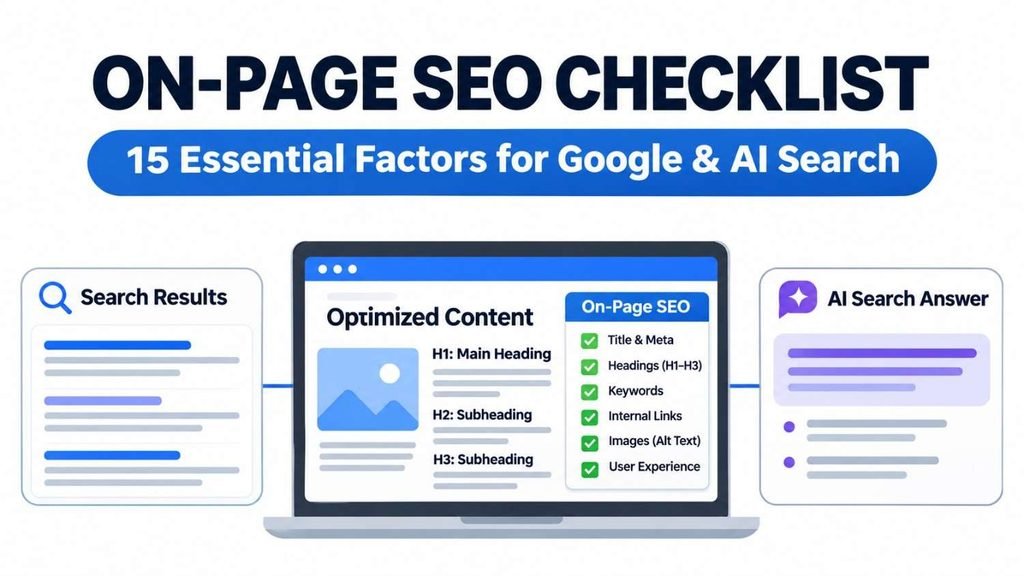
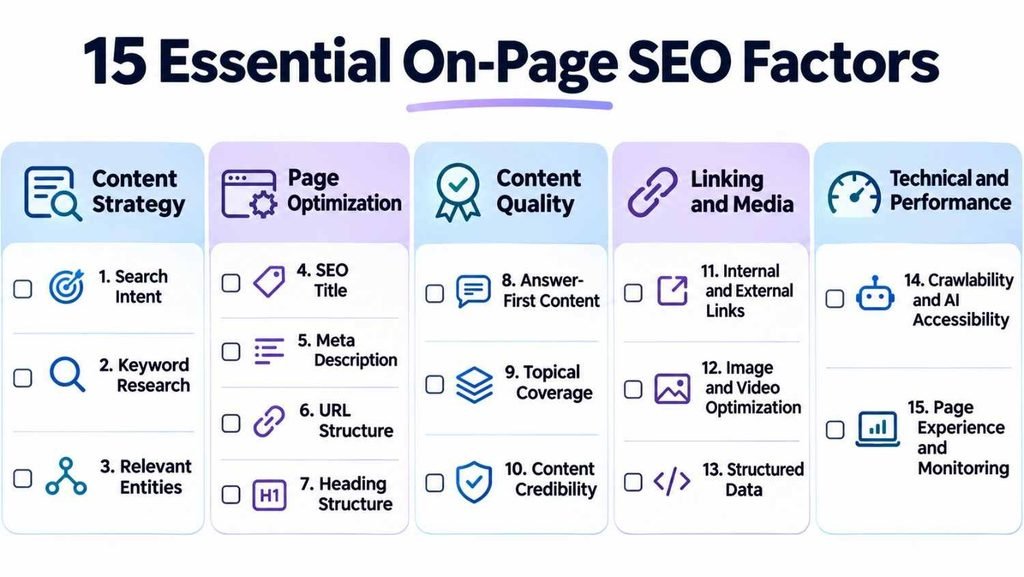
In this guide, we’ll explore 15 essential on-page SEO factors, explain how they work, and show you how to optimize your website for traditional and AI-powered search experiences.
What Is On-Page SEO?
On-page SEO is the process of optimizing individual webpages to improve their relevance, search visibility, and user experience.
It involves improving elements that website owners can control directly, including:
- SEO title tags and meta descriptions
- Headings and content structure
- Keywords and search intent
- URL structure
- Internal and external links
- Images and alternative text
- Content quality and relevance
- Structured data
- Page experience and usability
In simple words, on-page SEO means improving the content and elements of your webpage so search engines can understand it and visitors can easily find useful information.
For example, if you publish an article about digital marketing, you should use a descriptive title, organize the content into relevant sections, explain important concepts, include useful examples, and link to related resources.
These improvements help search engines interpret your content while making the webpage more valuable to visitors.
Why Is On-Page SEO Important?
On-page SEO helps search engines understand your webpages and determine how relevant they are to users’ queries. It also supports visibility across different search experiences.
Here are four important benefits:
- Better content understanding: Descriptive titles, headings, and relevant information help search engines interpret your webpages.
- Improved search relevance: Content that matches search intent provides more useful answers to visitors.
- AI search discoverability: Accessible, well-structured content can be discovered and referenced by AI-powered search experiences.
- Better user experience: Organized content, relevant images, and useful internal links make websites easier to navigate.
Traditional SEO and AI search optimization are closely connected. Google’s AI search features still rely on foundational SEO practices, although appearing in an AI-generated answer is never guaranteed.
On-Page SEO vs Off-Page SEO vs Technical SEO
These three SEO approaches work together but focus on different aspects of website optimization.
| SEO Type | Main Focus | Examples |
|---|---|---|
| On-page SEO | Individual webpage optimization | Titles, headings, content, images |
| Off-page SEO | External reputation | Backlinks, brand mentions, digital PR |
| Technical SEO | Website infrastructure | Crawling, indexing, redirects, rendering |
A successful SEO strategy requires all three. On-page SEO improves individual pages, off-page SEO supports external reputation, and technical SEO helps search engines access your website.
15 Essential On-Page SEO Factors to Optimize Your Website
The following checklist covers the most important areas to review when publishing new content or improving existing webpages.
A. Keyword and Content Optimization
1. Understand search intent
Search intent is the reason behind a person’s search query.
The four common types are:
- Informational: Learning about a topic.
- Navigational: Finding a particular website.
- Commercial: Comparing products or services.
- Transactional: Making a purchase or completing an action.
For example, someone searching for “on-page SEO checklist” expects practical optimization steps rather than a page selling SEO services.
Review Google’s search results, understand what users expect, and create content that addresses their actual needs.
2. Perform keyword research
Choose one primary keyword for each page and identify relevant secondary and long-tail keywords.
For an article targeting “on-page SEO checklist,” supporting keywords might include:
- On-page SEO factors
- How to do on-page SEO
- Elements of on-page SEO
- On-page SEO examples
Use tools such as Google Keyword Planner, Ahrefs, Semrush, and Google Search Console to identify relevant opportunities.
Also consider related entities and concepts such as Google Search Console, Core Web Vitals, schema markup, AI Overviews, and ChatGPT Search.
For a structured approach to planning related topics, read How to Create a Content Strategy: A Practical Step-by-Step Guide.
3. Optimize your SEO title tag
Your title tag communicates the subject of your webpage and can appear as the clickable headline in search results.
Best practices:
- Include your primary keyword naturally.
- Write unique titles for important pages.
- Match the title with search intent.
- Make the topic clear.
- Avoid keyword stuffing.
Example:
Poor: SEO Guide
Better: On-Page SEO Checklist: 15 Essential Factors for Google & AI Search
Google may rewrite title links, so focus on accurate, descriptive titles rather than a fixed character count.
Reference: Google’s Title Link Documentation.
4. Write a useful meta description
A meta description summarizes your webpage and may appear beneath its title in search results.
Example:
“Follow this on-page SEO checklist to optimize website content, improve search visibility, and prepare your pages for Google and AI-powered search.”
Write unique descriptions that accurately explain the page. Google may generate its own search snippet, and meta descriptions are not direct ranking factors.
5. Create descriptive URLs
Keep URLs simple, readable, and relevant.
Example:
Poor: example.com/page?id=12345
Better: example.com/on-page-seo-
Use descriptive words, hyphens, and consistent URL structures. Avoid changing established URLs without considering redirects and existing search performance.
6. Organize content with proper headings
Use a logical heading hierarchy to organize information.
Example:
- H1: On-Page SEO Checklist
- H2: What Is On-Page SEO?
- H2: Essential On-Page SEO Factors
- H3: Keyword and Content Optimization
- H3: On-Page Elements and Linking
- H3: Technical and AI Search Optimization
Use descriptive headings that accurately represent the content below them. Include relevant keywords naturally rather than forcing them into every heading.
7. Create helpful, semantically relevant content
Your content should answer the main query and cover important supporting topics.
Focus on:
- Direct answers to user questions.
- Relevant examples and explanations.
- Accurate and useful information.
- Natural keyword placement.
- Original insights and practical recommendations.
- Clear connections between related concepts.
Avoid repeating keywords or publishing generic content that adds little value.
Google’s Helpful, Reliable, People-First Content guidance is a useful reference.
B. On-Page Elements and User Experience
8. Use keywords naturally
Include your primary keyword in relevant places such as the title, H1, introduction, and appropriate subheadings.
Use related phrases throughout the content where they make sense.
Avoid keyword stuffing. Search optimization should never make your writing difficult to understand.
9. Add relevant internal links
Internal links connect related pages on your website. They help visitors discover additional information and help search engines understand relationships between your content.
For example, readers interested in content distribution can explore Strategies for Social Media Marketing to understand how social platforms support digital marketing efforts.
Use descriptive anchor text, link to relevant pages, and check for broken links.
10. Link to credible external sources
External links provide readers with additional information and supporting evidence.
Prioritize official documentation, original research, and credible industry publications.
For example, use Google Search Central when discussing Google’s search guidelines rather than relying on unsupported claims.
Read Google’s Link Best Practices for guidance on crawlable links and descriptive anchor text.
11. Optimize images and videos
Visual content makes webpages more engaging and can help explain complex information.
Follow these practices:
- Use descriptive image filenames.
- Compress images.
- Prefer suitable formats such as WebP or AVIF.
- Add meaningful alt text.
- Use responsive images.
- Include captions or transcripts for relevant videos.
Example:
Poor filename: IMG_12345.jpg
Better filename: on-page-seo-checklist-example.
Alt text should describe the actual image rather than repeat keywords unnecessarily.
12. Improve readability and page experience
Make your content easy to read and navigate.
Focus on:
- Short, clear paragraphs.
- Descriptive headings.
- Bullet points and tables where useful.
- Readable typography.
- Responsive mobile design.
- Clear navigation.
- Fast and stable page loading.
You should also monitor Core Web Vitals:
| Metric | Good Threshold |
|---|---|
| LCP | 2.5 seconds or less |
| INP | 200 milliseconds or less |
| CLS | 0.1 or less |
Use Google PageSpeed Insights to identify performance issues.
13. Implement relevant structured data
Structured data helps search engines understand specific information on your webpages.
Common schema types include:
- Article
- BreadcrumbList
- Organization
- Product
- LocalBusiness
Use appropriate JSON-LD markup and ensure it accurately represents visible page information.
Structured data can support eligibility for certain rich results, but it does not guarantee rankings or AI citations. Google does not require special AI schema for AI Overviews or AI Mode.
Reference: Google’s Structured Data Documentation.
C. AI Search and Technical Accessibility
14. Optimize content for AI-powered search
Search experiences now include Google AI Overviews, Google AI Mode, ChatGPT Search, and Perplexity.
To make your content more useful for AI-powered discovery:
- Answer important questions directly.
- Provide clear definitions and explanations.
- Include relevant entities and supporting context.
- Use credible sources for factual claims.
- Add original insights and practical examples.
- Maintain clear headings and content structure.
- Keep information accurate and updated.
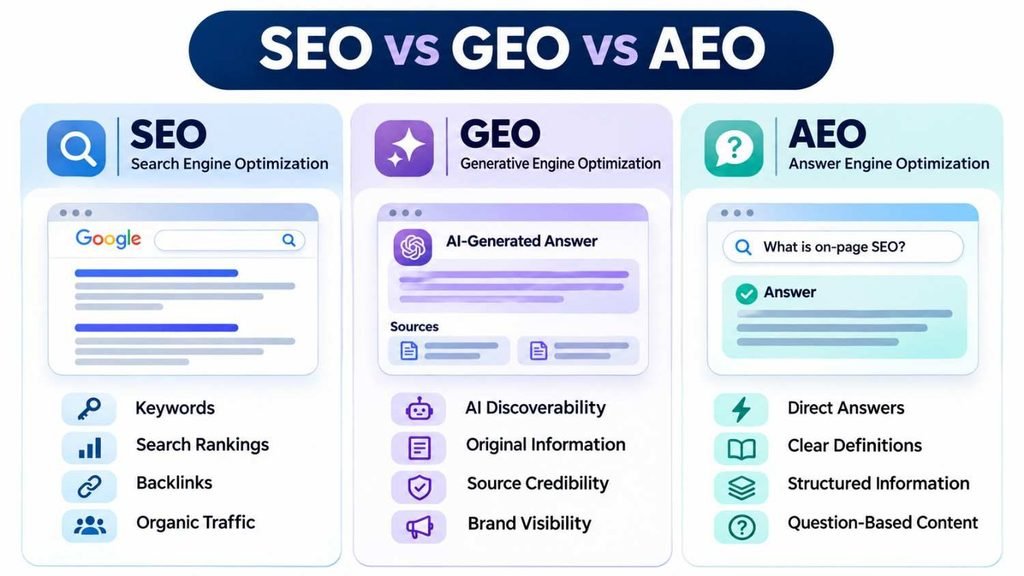
This is where GEO (Generative Engine Optimization) and AEO (Answer Engine Optimization) become relevant.
GEO focuses on improving content discoverability in generative AI experiences, while AEO focuses on providing clear information for direct-answer systems.
AI can also support content research, outlining, and editing, but its output needs human review and fact-checking.
Explore The Role of Artificial Intelligence in Digital Marketing: Uses, Examples & Tools to learn more about AI applications in digital marketing.
Importantly, no special writing formula guarantees AI citations. Focus on information quality, clarity, credibility, and accessibility.
15. Check crawling, indexing, and AI crawler accessibility
Search engines and AI-powered discovery systems need access to relevant webpages.
Review:
- Robots.txt restrictions.
- Noindex directives.
- Canonical tags.
- XML sitemaps.
- Internal link accessibility.
- JavaScript rendering.
- HTTP response status.
Also understand the different crawlers:
| Crawler | Purpose |
|---|---|
| Googlebot | Google Search |
| OAI-SearchBot | ChatGPT Search discovery |
| GPTBot | OpenAI model-training-related crawling |
| PerplexityBot | Perplexity search discovery |
If you want your website to appear as a source in ChatGPT Search, review OpenAI’s crawler documentation and check whether OAI-SearchBot is blocked.
You can also review Perplexity’s crawler documentation.
Remember that search discovery and model training are different purposes. Crawler access also does not guarantee indexing or citations.
How to Do On-Page SEO Step by Step
Follow this simple workflow whenever you optimize a webpage:
- Select your target page: Identify its purpose and audience.
- Research keywords: Choose a primary keyword and relevant supporting terms.
- Analyze search intent: Review search results and understand what users expect.
- Optimize page elements: Improve titles, descriptions, URLs, headings, and content.
- Add relevant links: Connect supporting internal pages and credible external sources.
- Optimize visuals: Compress images and add descriptive alt text.
- Review technical SEO: Check indexing, crawlability, canonical tags, and structured data.
- Consider AI search: Review content clarity and relevant crawler accessibility.
- Monitor performance: Use Search Console, Analytics, and PageSpeed Insights to identify improvements.
On-Page SEO Examples
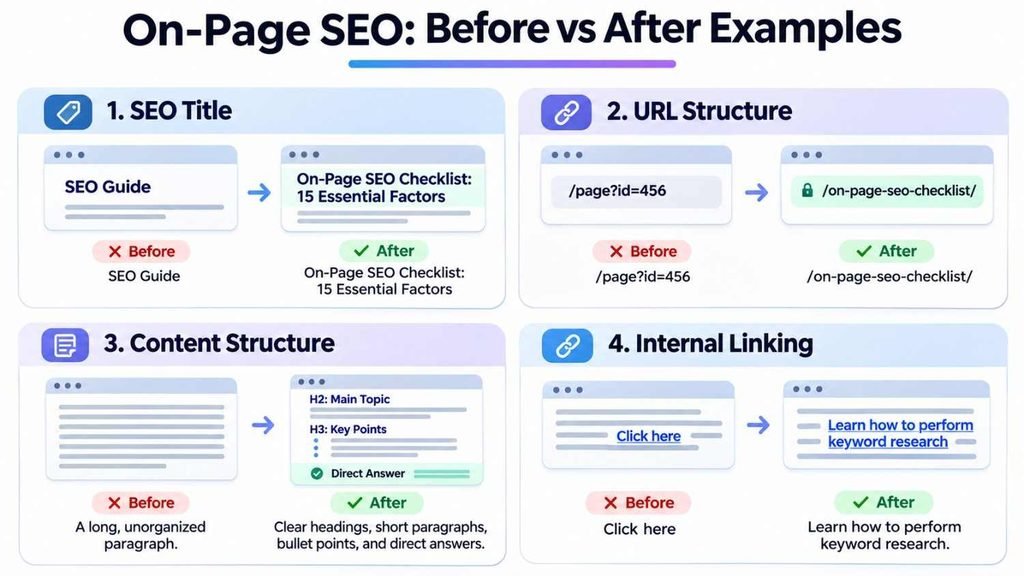
Here are a few practical examples of how on-page optimization works.
| Element | Before | After |
|---|---|---|
| SEO Title | SEO Guide | On-Page SEO Checklist: 15 Essential Factors |
| URL | /page?id=456 | /on-page-seo-checklist/ |
| Heading | SEO | What Is On-Page SEO? |
| Internal Link | Click here | Learn how to perform keyword research |
| Alt Text | SEO image | On-page SEO checklist showing optimization tasks |
Another example is answer-first content.
Instead of writing a long introduction before defining on-page SEO, provide a direct definition first and then explain the concept in greater detail.
This improves clarity for readers and makes the information easier to interpret.
Frequently Asked Questions About On-Page SEO
1. What Is On-Page SEO and Why Is It Important?
On-page SEO is the process of optimizing individual webpages through improvements to content, titles, headings, URLs, images, and internal links. It helps search engines understand your content and makes webpages more useful for visitors.
2. What Is On-Page SEO in Simple Words?
On-page SEO means improving the elements of your webpage so search engines can understand its topic and visitors can easily find useful information.
3. How Do You Do On-Page SEO?
Start with keyword research and search intent. Then optimize your title, meta description, URL, headings, content, images, and internal links. Finally, check technical accessibility and page performance.
4. What Are the Main Elements of On-Page SEO?
The main elements include keyword research, search intent, title tags, meta descriptions, URLs, headings, content quality, internal links, external links, image optimization, structured data, and user experience.
5. Does On-Page SEO Help With AI Search?
Yes. Foundational SEO practices such as helpful content, crawlability, clear structure, and relevant information support discoverability in Google’s AI search experiences. However, these practices do not guarantee AI citations.
6. What Is the Difference Between SEO and GEO?
SEO focuses on improving visibility in search engines, while GEO focuses on improving the discoverability and representation of content in generative AI experiences. Both approaches overlap.
Conclusion
On-page SEO is about making individual webpages useful, understandable, and accessible.
While traditional SEO fundamentals remain important, AI-powered search has introduced additional considerations around content clarity, credibility, entity relevance, and crawler accessibility.
The best approach is to combine proven SEO practices with practical GEO and AEO principles without relying on unverified optimization tricks.
Follow this checklist, create genuinely helpful content, and regularly review your website’s performance.
Focus on creating content that people trust, search engines understand, and AI-powered platforms can discover and accurately interpret.